

Why it happens
- QuickBooks or HighLevel: your access expired. This can happen after a long time, or after a password change.
- Little Green Light: the API key was revoked or rejected.
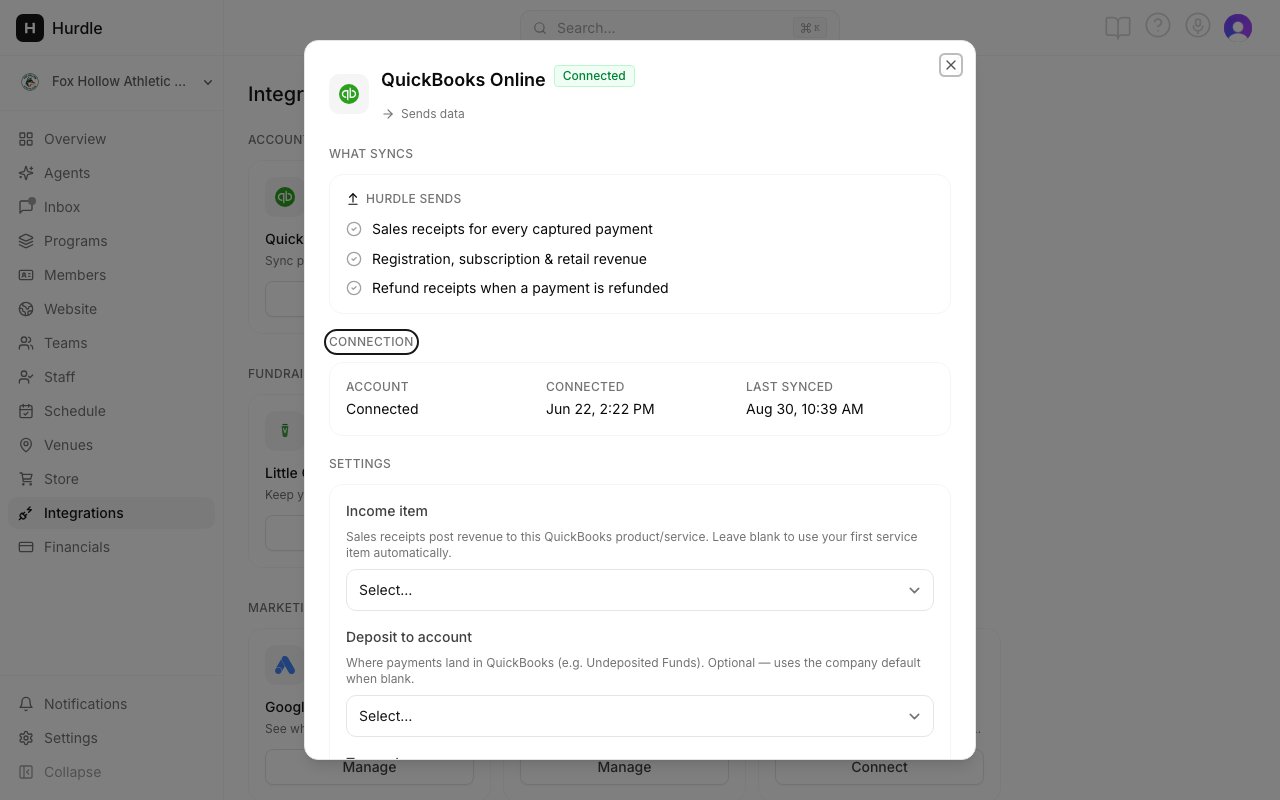
The Connection section shows Connected or Needs attention.
What to do
- In the menu on the left, click Integrations.
- On the tile that says Needs attention, click Manage.
- For QuickBooks or HighLevel, click Reconnect and sign in again.
- For Little Green Light, create a new API key in Little Green Light, paste it in, and click Reconnect.
- Check that Connection now says Connected. The waiting items post on their own.
If that doesn’t fix it
Look at Recent activity in the same window. It lists the latest items Hurdle sent and marks any that failed. If the status stays at Needs attention, contact support through the Help section in Hurdle.Common questions
Did I lose any payments while it was down?
Did I lose any payments while it was down?
No. Payments and refunds are kept in line while the connection is down, and sync once you reconnect.
What if I disconnect instead?
What if I disconnect instead?
Hurdle stops sending new items. Everything already in the other tool stays there. Disconnect is how you turn an integration off.