

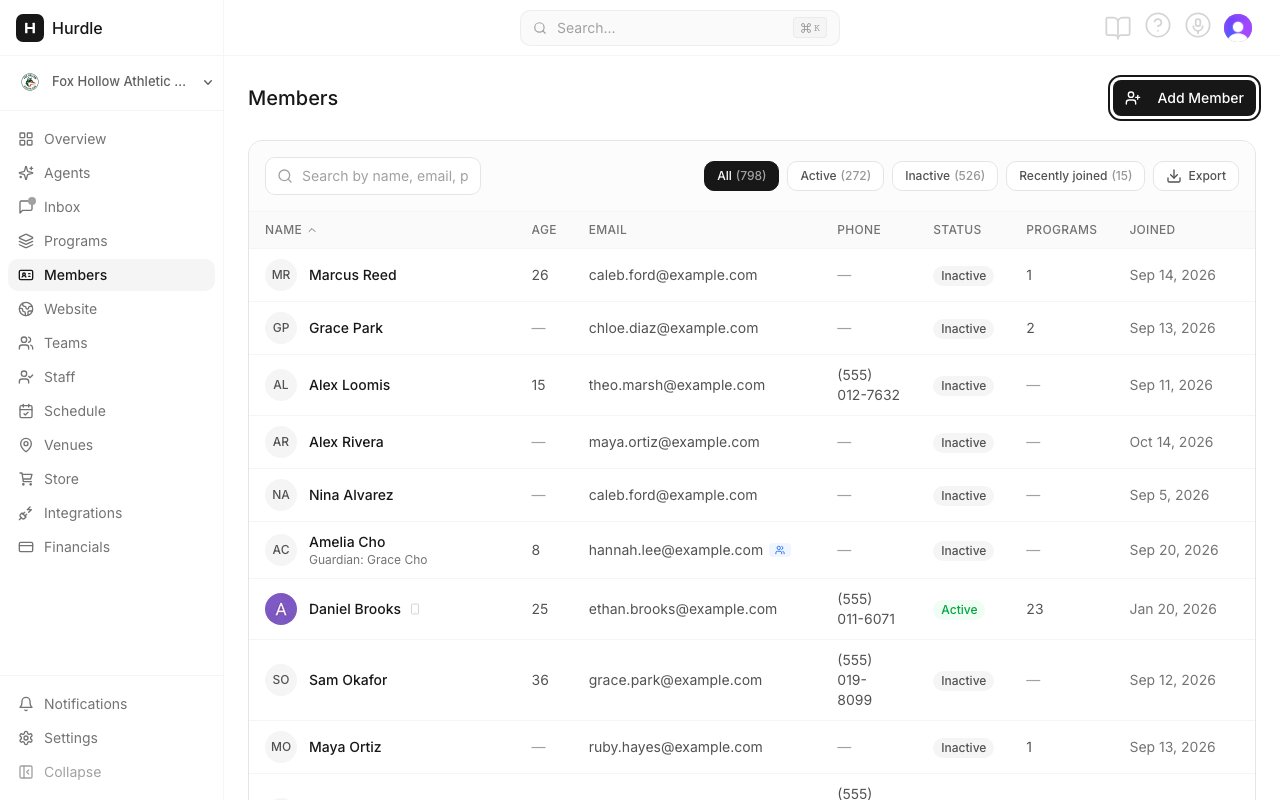
The Members page. Add Member is in the top right.
Who is a member
Hurdle groups people into families:- Parent or guardian. The adult who signs up, pays and gets the emails. For example, Maria Garcia.
- Child. The person under 18 who takes part in your programs, like Leo Garcia and Sofia Garcia. A child is always linked to at least one guardian.
- Adult member. An adult who signs up for themselves, like James Wilson.
Find someone
- Search by name, email or phone. You can also type a parent’s name, email or phone to find their child.
- Filters across the top: All, Active, Inactive and Recently joined.
- Download CSV (the download icon) saves the list as a spreadsheet file.
What you can do here
Add a member
Add an adult, or a child with their guardian.
Import members
Bring in a whole list from a spreadsheet.
Families
Link parents and children, and choose the primary parent.
Member profiles
Everything about one member on one page.
Enroll a member
Sign someone up for a program from the dashboard.
Active and Inactive
Why a member shows as Active or Inactive.
Member reports
Retention, sign-up and trial reports from Ask AI.
Skill tracking
Levels, skills and belts for each student.
Common questions
Why can't I find a member I know exists?
Why can't I find a member I know exists?
They have most likely been archived. Archiving hides a member from the Members list, search and every picker. Contact support to check and restore them. See Remove a member.
How do I see all members in one program?
How do I see all members in one program?
Open the program from Programs. Its registrants list shows everyone signed up.
Where are people who haven't finished signing up?
Where are people who haven't finished signing up?
They are Leads, under Website → Leads. A lead is someone who started but didn’t finish registering, signed up for updates, or was added by hand as a prospect. See Leads.
What does Recently joined mean?
What does Recently joined mean?
It shows members who joined recently, whether they are Active or Inactive. A Joined recently tag also appears next to their name in the list.